Combine Windows, Linux, and utilities on one USB stick. Professional bootable drive creation made simple and accessible for everyone.
Professional-grade bootable USB creation without the complexity
WinSetupFromUSB changes how you think about operating system installations. Instead of burning multiple DVDs or managing separate USB drives for each OS, this powerful application lets you build a single universal installer that boots anywhere and installs everything.
Imagine walking into any situation - a friend's broken computer, a fresh build at work, or your own system troubleshooting - with every tool you need in your pocket. Windows installation files, Linux distributions for testing, rescue utilities for emergencies, all accessible from one menu when you boot up. This is exactly what WinSetupFromUSB delivers, and it does so without requiring advanced technical knowledge.
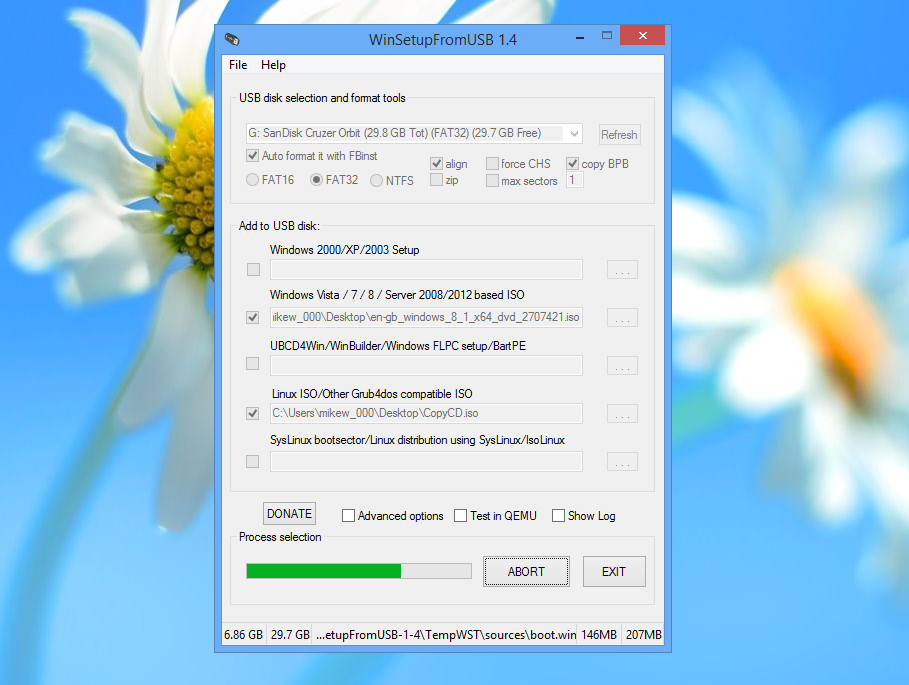
The application handles the complex bootloader configuration, partition management, and file system setup automatically. You simply point it to your ISO files, select your target USB drive, and let the software work. Within minutes, you have a professional multiboot environment that works on computers from the last decade and the latest models released this year.
Features that matter when you're deploying operating systems
Modern USB 3.0 drives install operating systems in a fraction of the time optical media takes. Get systems up and running quickly without lengthy waits.
Battle-tested by IT professionals worldwide. Each update goes through extensive validation to ensure your bootable drives work correctly every time.
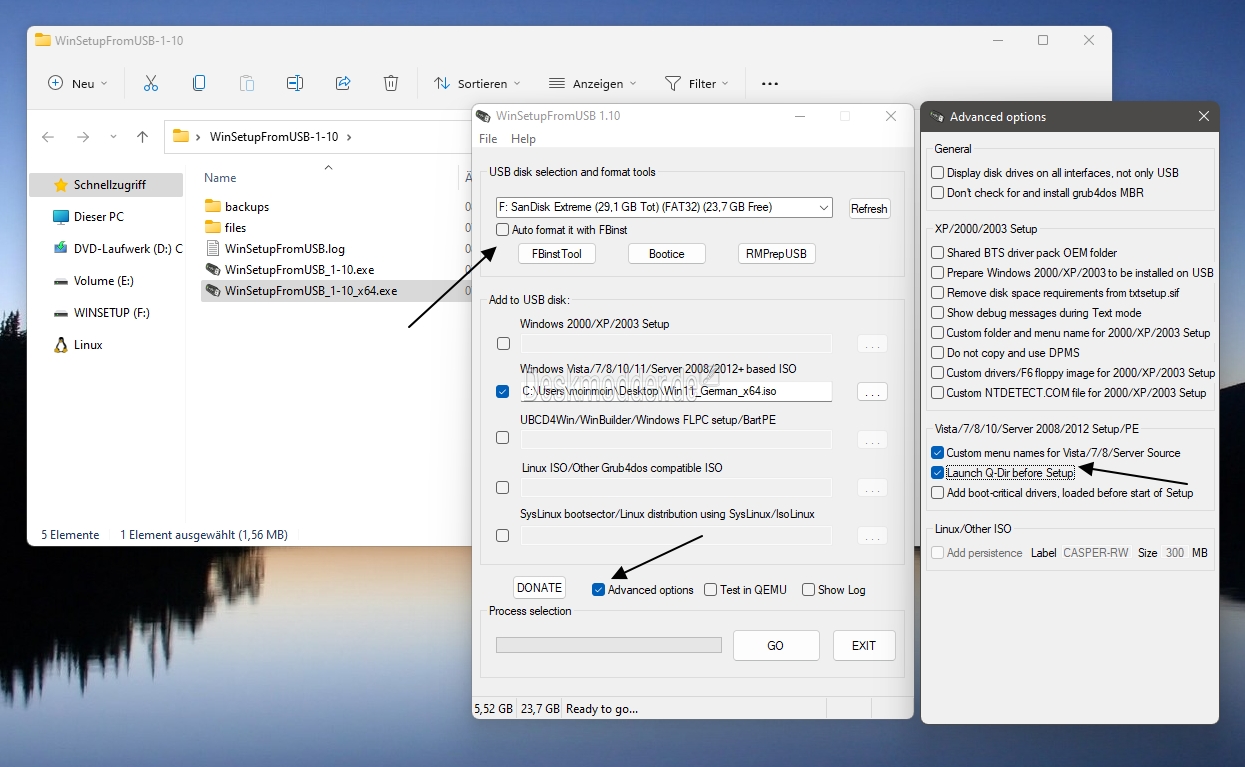
Advanced users can fine-tune partition schemes, boot methods, and file systems. Beginners can stick with smart defaults that work universally.
From Windows XP to Windows 11, from mainstream Linux distributions to specialized rescue systems - if it's distributed as an ISO, we support it.
Update your USB drive as new OS versions release. No need to buy new media or create new drives - just refresh what's already there.
Your USB drives boot correctly on both legacy BIOS systems and modern UEFI hardware. True universal compatibility across all computer types.
Creating your first multiboot USB drive takes less time than watching a tutorial video. The software guides you through each decision with clear explanations:
The interface never overwhelms you with options you don't understand. Everything is organized logically, and the defaults work for most scenarios. If you need specific configurations for particular hardware, those advanced settings are there when you need them.
Get Started Now
This tool serves everyone who works with computers, regardless of technical skill level:
Whether you're maintaining a corporate network or helping your parents reinstall Windows, having all your tools on one USB drive simplifies everything. No more searching for the right disc, no more downloading installers on slow connections at client sites.
Benefits that make a real difference in daily work
Create your multiboot USB once and use it hundreds of times. Update it as needed instead of creating fresh media for every installation job.
One 32GB USB drive replaces dozens of DVDs. The software itself costs nothing and includes every feature with no upsells or limitations.
Bootable drives that work reliably across different hardware. No failed boots, no compatibility surprises, just consistent performance.
Active development keeps the software compatible with new Windows releases and the latest Linux distributions as they launch.
Used by thousands of professionals daily. Real-world testing at a scale that catches edge cases and ensures reliability.
If you've used Windows and can navigate file browsers, you already know enough to use this tool effectively right now.
Everything you need to know about WinSetupFromUSB
WinSetupFromUSB is software that creates bootable USB drives capable of installing multiple operating systems. You add ISO files to a USB stick, and the program configures everything needed to boot and install from that drive on any compatible computer.
No. WinSetupFromUSB is free software with no trial limitations, feature restrictions, or paid upgrades. Download it, install it, and use every feature without paying anything.
All versions of Windows from XP through Windows 11 work perfectly. Linux distributions like Ubuntu, Debian, Fedora, Mint, and hundreds of others are supported. You can also add system rescue tools, diagnostic utilities, and bootable antivirus programs.
Yes. The created USB drives support both legacy BIOS mode for older machines and UEFI mode for modern hardware. This dual compatibility ensures your drive boots properly regardless of the computer's age or firmware type.
An 8GB drive holds a single Windows installation. For multiple operating systems and utilities, 16GB or 32GB provides comfortable space. Larger drives let you build comprehensive toolkits with numerous OS options and rescue utilities.
Absolutely. Run WinSetupFromUSB again with the same USB drive to add new operating systems or replace older versions with updated releases. Your USB drive evolves with your needs.
The software only modifies the USB drive you explicitly select. It doesn't touch your computer's internal drives or install anything that runs in the background. Download from our official site to ensure you get the authentic, safe version.
WinSetupFromUSB runs on Windows 7 and all newer versions including Windows 8, 10, and 11. Both 32-bit and 64-bit systems are supported.
Time varies based on how much you're adding and your USB drive's speed. A single Windows ISO typically takes 15-20 minutes. Multiple operating systems might take 30-45 minutes. USB 3.0 drives are significantly faster than USB 2.0.
Download Windows ISOs from Microsoft's official website. Linux distributions provide ISOs on their official sites. WinSetupFromUSB doesn't include operating systems - you provide the ISO files you have licenses for.
Join thousands of IT professionals who rely on WinSetupFromUSB for their deployment needs. Free download, no registration required.
Download WinSetupFromUSB